
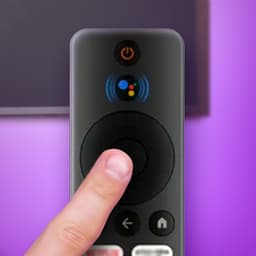
Screenshots
About Remote Control for Mi Box
Control your Xiaomi MI Box with your smartphone using Remote Control for Mi Box—the smart alternative to lost or dead remotes. Transform your Android phone into a full-featured TV controller that works seamlessly over Wi-Fi, giving you instant access to all your favorite streaming apps and entertainment.
Stop fumbling for physical remotes. With an intuitive touchpad interface, you navigate menus and content with natural finger gestures, just as you would on your phone. Launch Netflix, Disney+, Amazon Prime Video, YouTube, and other apps directly from the remote without scrolling through your TV's home screen. Full playback controls—play, pause, rewind, fast-forward, and volume adjustment—put everything at your fingertips for a smoother viewing experience during movie nights and binge-watching sessions.
Typing on your TV no longer means hunting for letters on-screen. The built-in keyboard accelerates text entry, making password logins and content searches faster and less frustrating. Voice commands add another layer of convenience, letting you search for shows or navigate menus hands-free. If you own multiple MI Box devices, switch between them effortlessly with multi-device management—perfect for homes with TVs in different rooms.
Personalize your experience with customizable remote skins that either match your physical MI Box remote's look or introduce fresh, modern designs. Real-time synchronization ensures your commands reach your TV instantly, while mouse-style navigation offers fluid control that feels natural after just a few uses. The app is optimized for Android and works reliably across various MI Box models and Xiaomi Android TV devices.
Getting started takes just three simple steps: connect your phone and MI Box to the same Wi-Fi network, ensure your TV is powered on, and follow the in-app pairing instructions. No additional hardware or complicated setup required.
Remote Control for Mi Box is ideal for families, frequent streamers, elderly users who benefit from a larger interface, and anyone seeking a modern, dependable alternative to traditional remotes. An optional premium upgrade removes ads and unlocks additional features for an even cleaner experience.
Whether you're browsing content, adjusting volume, or launching your next binge-worthy series, Remote Control for Mi Box makes TV control intuitive, fast, and accessible from the device you already carry every day.
Pros & Cons
Pros
- Touchpad and keyboard eliminate tedious on-screen text entry
- Direct app shortcuts launch Netflix, YouTube, and others instantly
- Voice commands enable hands-free navigation and search
- Multi-device switching supports homes with multiple MI Box TVs
- Wi-Fi pairing requires no additional hardware or complex setup
Cons
- Requires phone and MI Box on same Wi-Fi network to function
- Optional premium upgrade removes ads, suggesting free version includes ads
- Voice commands rely on internet connectivity and may misrecognize queries
- Limited to Xiaomi MI Box and Android TV devices only
Frequently asked questions about Remote Control for Mi Box
Is Remote Control for Mi Box safe to download?
The Remote Control for Mi Box file on Unstore was scanned for malware on May 20, 2026. The scan found no threats and gave it a risk score of 0/100 (lower is safer).
What are the system requirements for Remote Control for Mi Box?
Remote Control for Mi Box runs on Android. It requires Android 12L or later. The download size is 15.8 MB.
What is the latest version of Remote Control for Mi Box?
The latest version of Remote Control for Mi Box on Unstore is 6.5.0.0. It was last updated on May 22, 2026.
Who develops Remote Control for Mi Box?
Remote Control for Mi Box is developed by Mobile-Care.
Related Apps

HWiNFO
Hardware monitoring for Windows—track CPU temp, GPU load, fan speed, voltage in real time.

TransMac
Read Mac drives and DMG files on Windows. Access APFS/HFS+ storage and create disk images.

Advanced SystemCare Free
System optimization tool: clean, repair, and secure your PC. Remove malware, fix errors, and boost performance.

Display Driver Uninstaller (DDU)
Driver uninstaller for GPU and audio — removes residual files for clean Windows updates

Glary Utilities
PC maintenance and optimization suite — clean, repair, and speed up your Windows computer in one action.

Universal ADB Drivers
ADB drivers for Android: Connect any smartphone to Windows PC without manufacturer software.
Latest Articles

Play a free Poly Bridge-style bridge builder in your browser (no download)
Nov 14, 2026

Play a free Balatro-style poker roguelike in your browser (no download)
Nov 14, 2026

GarageBand for Android or Chromebook? A free music studio in your browser
Nov 14, 2026

FlipaClip for PC or Chromebook? We built a free animation maker that runs in your browser
Nov 14, 2026

Play a free Color Ball Sort Puzzle-style game in your browser (no download)
Oct 6, 2026